
Communities
Organize servers with categories, channels and invites. Grow without losing control.
Servers, text and voice channels, screen share, direct messages, search and real moderation tools — in a light, fast desktop app built for people who take their community seriously.
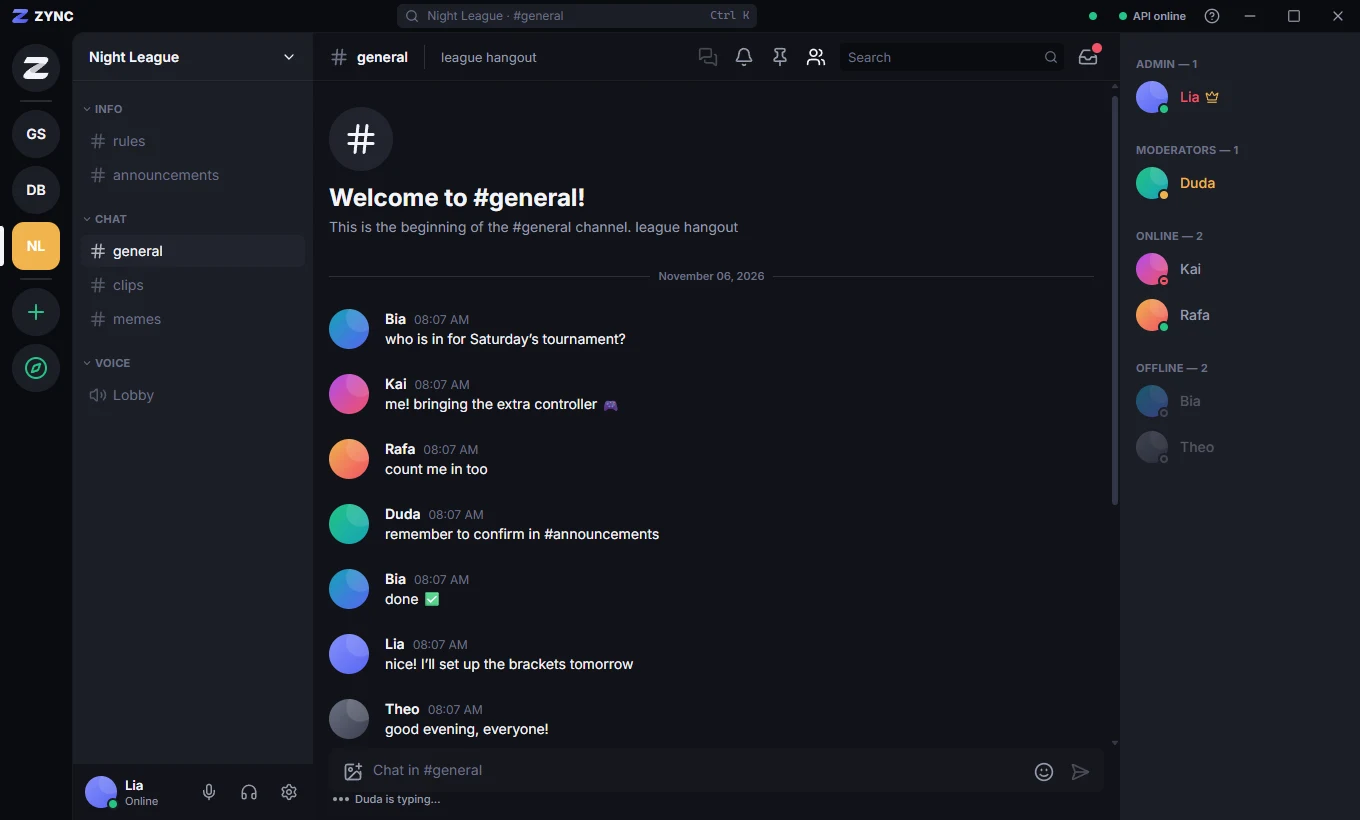
Organize servers with categories, channels and invites. Grow without losing control.
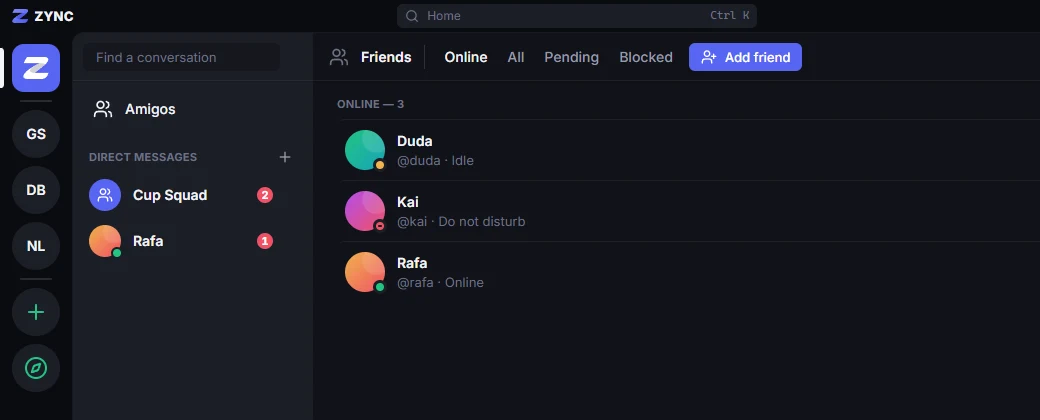
1:1 and group DMs, real-time presence and read state synced across devices.
Roles, per-channel permissions, time outs, bans, an audit log and a reports center.
Clear voice with noise suppression and screen share up to 1440p at 60 fps.
Inside the app
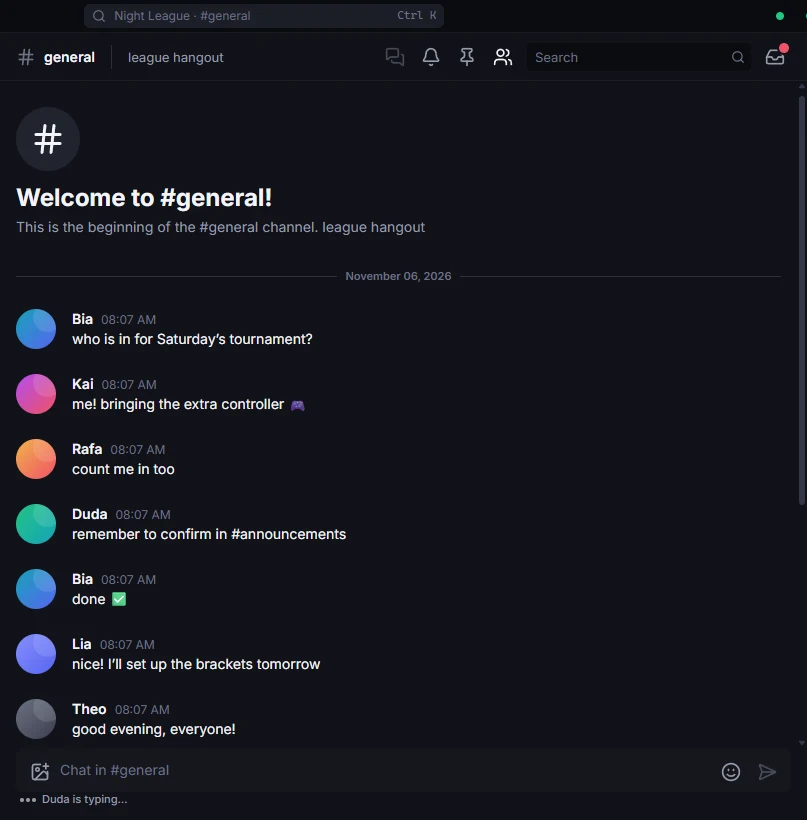
Real-time chat
Messages arrive instantly, with everything you expect from a modern chat.
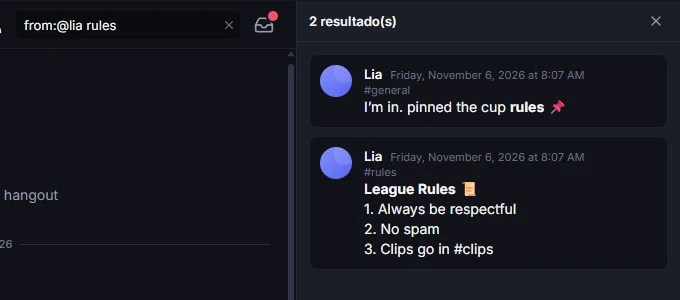
Search
Search that ignores accents, matches word prefixes and supports filters.
Friends and direct messages
Add friends, see who is online and talk privately or in groups.
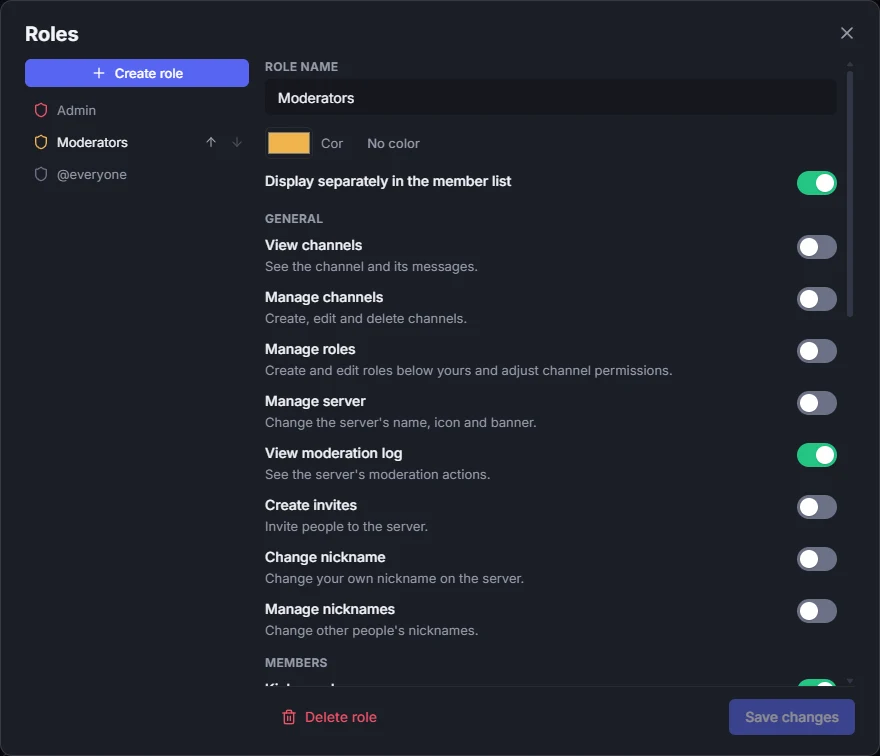
Roles and permissions
Decide who can do what, server-wide or channel by channel — all from the app.
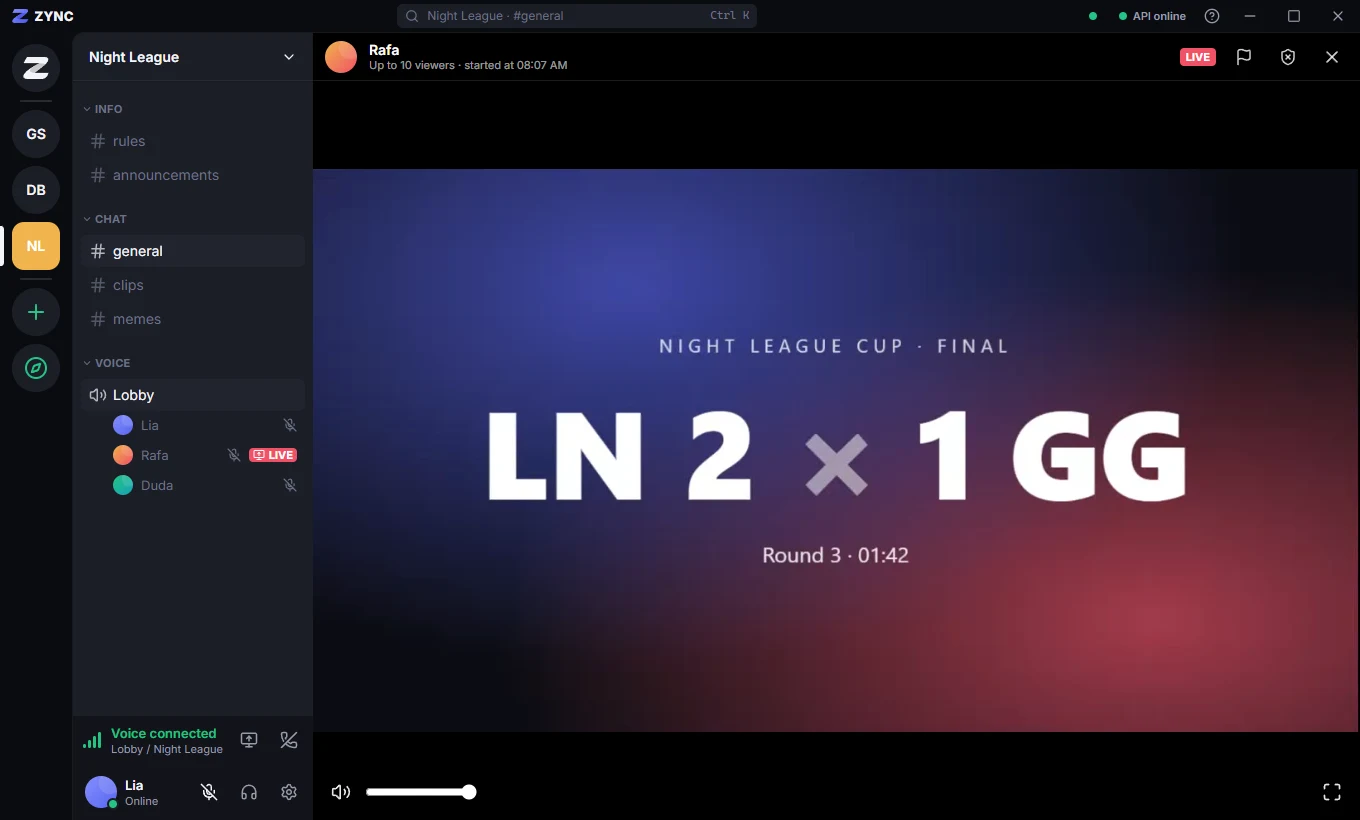
Voice and streaming
Join a voice channel in one click and show your game to everyone, in real quality.
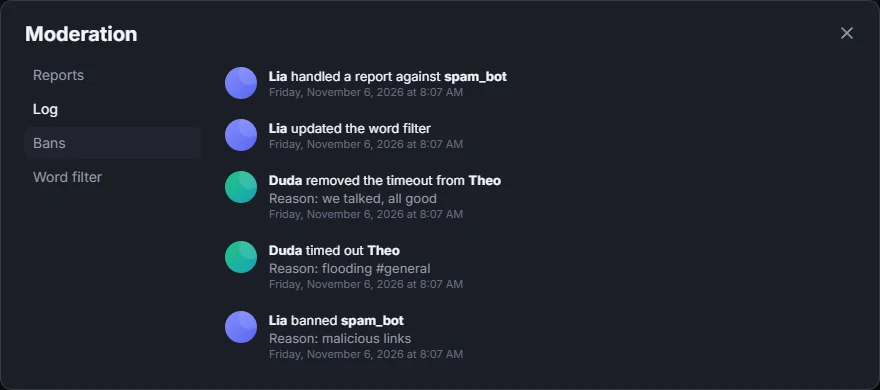
Moderation
A complete moderation center that logs everything that happens.
Messages, reactions and presence without reloading anything.
Accent-insensitive, prefix matching and filters for author, file and date.
Images, files and server icons with thumbnails.
Mentions and unreads in one place, with per-channel mute.
Dark by default, light when you want, or following your system.
Keyboard navigation, visible focus and reduced motion.
New versions arrive in the background, no reinstall needed.
Made in Brazil, in Portuguese, English and Spanish.
Security and privacy
Security has been part of the project since the first line of code, and it is reviewed in every release.
Today’s recommended algorithm for storing passwords. Not even we can read them.
Your session is encrypted by Windows and renewed on every use.
The interface runs in a sandbox, with no direct access to your computer.
Attachments only open through temporary links, with permissions checked on the server.
Roadmap
Chat, DMs, roles, moderation, search, voice with push to talk, screen share, sounds and three languages. Beta is live.
Call a friend or group straight from a DM, with a ringtone.
Connected accounts, live alerts in your server and roles for subscribers and members.
Password recovery, email verification, 2FA and a signed installer.
Zync open to everyone on Windows. Then: bots, macOS, Linux and mobile.
Yes. Everything available today is free. In the future there may be an optional plan with cosmetic items and higher limits, without taking away anything essential.
Portuguese, English and Spanish. In Settings → Language you pick one, or keep "Same as system", which follows Windows. It switches instantly, no restart.
For now, Windows 10 and 11. macOS, Linux, a web version and mobile are on the roadmap after 1.0.
Yes. Voice channels arrived in v0.7.0, with noise suppression and echo cancellation, per-person volume and screen share up to 1440p at 60 fps (18+ only), with mute and full screen for viewers. Push-to-talk, voice calls in DMs and camera are on the roadmap. See the voice guide.
The installer is not code-signed yet, so SmartScreen warns the first time. The download page explains how to continue and how to check the file is the original.
Download the app and create your account. It is a closed beta: there may still be rough edges, and new features arrive through automatic updates.
Passwords are stored with Argon2id, your session is encrypted by Windows and every action is checked on the server. See Security and the Privacy policy.

Download Zync, create your server and bring your friends.
Download for Windows