
Zync for gaming
Made for people who play together
Voice that stays out of the match, crisp streams for everyone to watch and an organized server for your team or clan. All free.
Voice
Talk without getting in the way
Join the voice channel in one click. AI noise suppression removes the keyboard, the fan and the street.
- Push to talk that works with Zync in the background
- Per-person volume just for you, from 0 to 200%
- Camera in voice, 18+
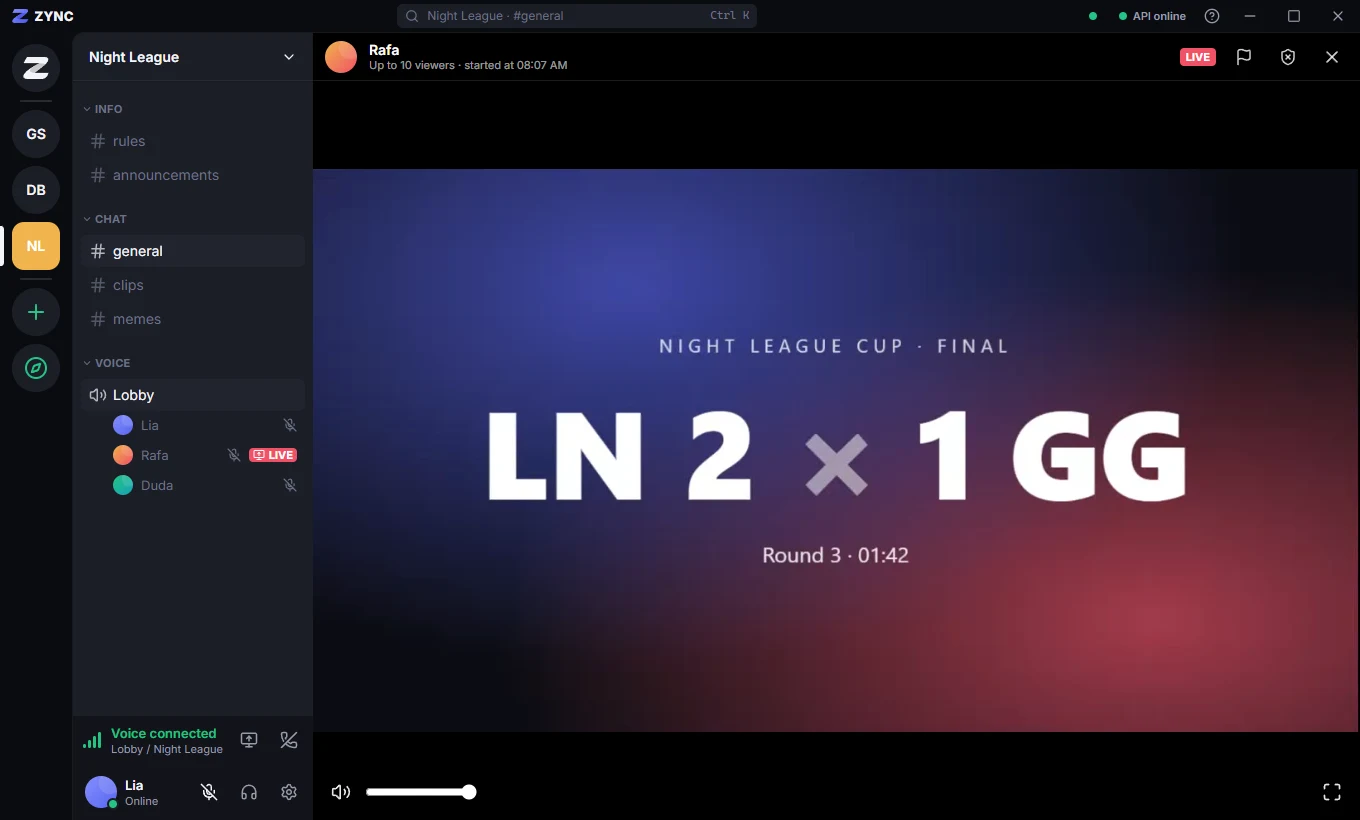
Streaming
Show the play
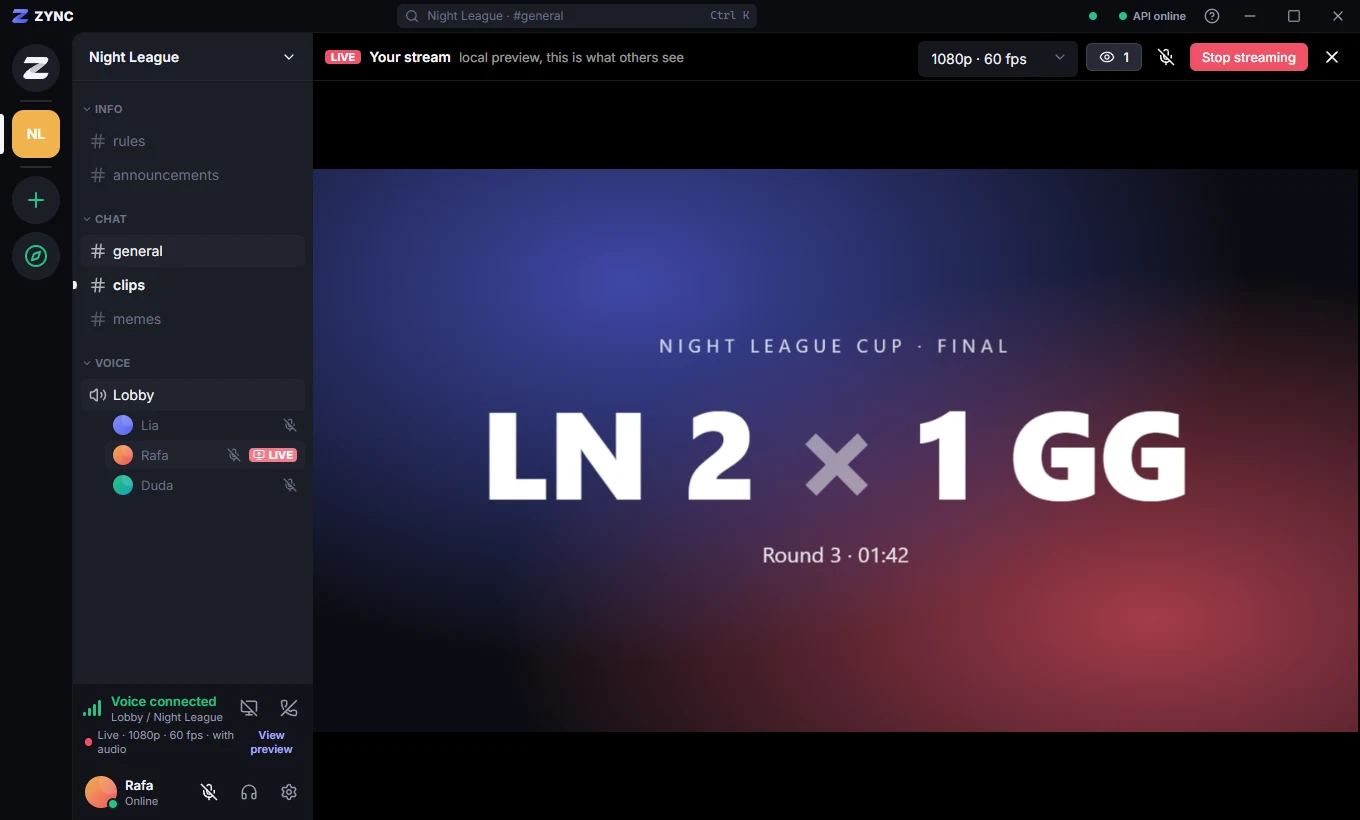
Stream your game to the voice channel at up to 1440p and 60 fps, with stereo audio.
- Viewers control sound, volume and fullscreen
- Viewer limit per stream
- Streamers see the live quality
Profile
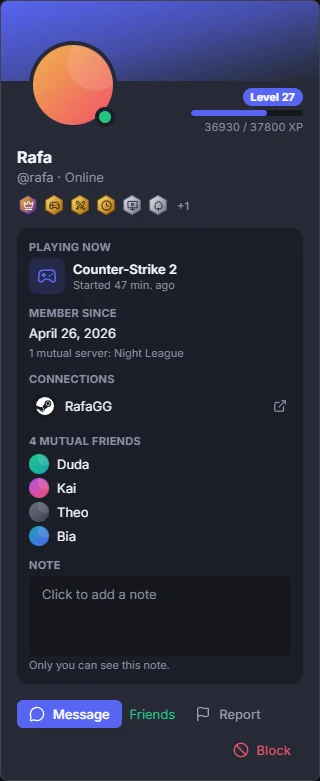
Your game in your status
Zync recognizes the game you have open and shows it in your status, only if you want. Playing and using Zync levels you up.
- "Playing now" with the match time
- Levels and badges on your profile card
- Steam account connected to your profile
Bots
Draws, scores and reminders
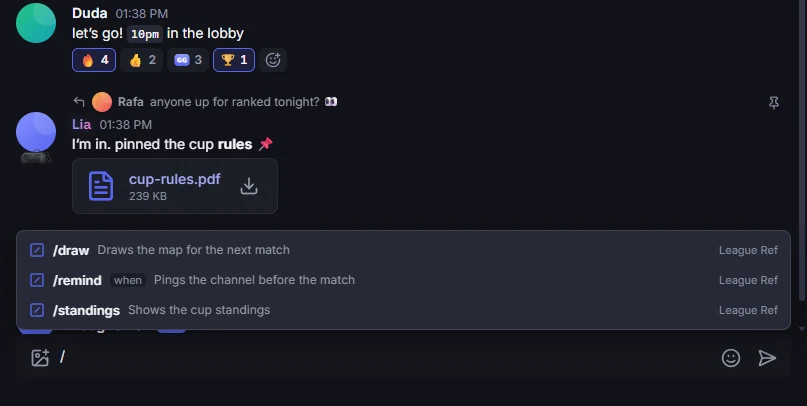
Bots with slash commands do the boring work: draw the map, keep the score and remind everyone of the time.
- Type / to see the server’s commands
- Create your own bot in Settings → Developer
- Webhooks bring alerts from other services
Events
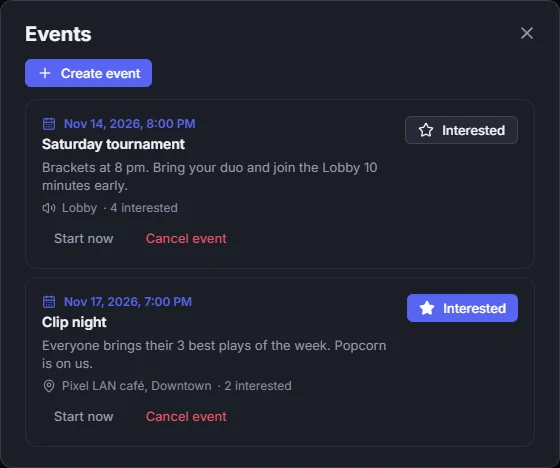
Tournament scheduled
Schedule the match, the tournament or the stream. Everyone interested gets notified when it starts.
- Server calendar
- One-click interest
- Notice when the event starts
Call your team
Create the server in your browser now or download the app for Windows or Android.
See also: Zync for gaming · for studying · for creators · For communities