
Getting started · 2/10
Invite friends
Create an invite and send the link to whoever you want.
- Click the server name, at the top of the channel list, and choose Invite people.
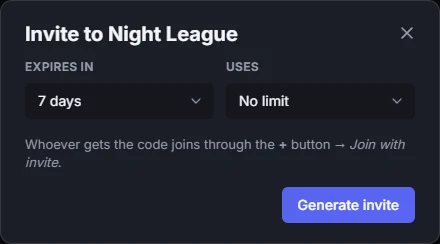
- Choose when the invite expires and how many uses it has, then use Generate invite.
- Send the link. Whoever gets it opens it in the browser or the app, or joins through + → Join with invite.
- Want to take people straight to a channel? Use Invite to on the channel row.
Learn more: Custom invite links and more