Everything here is optional: chatting, creating servers, voice, camera and screen share are still free.
Shop
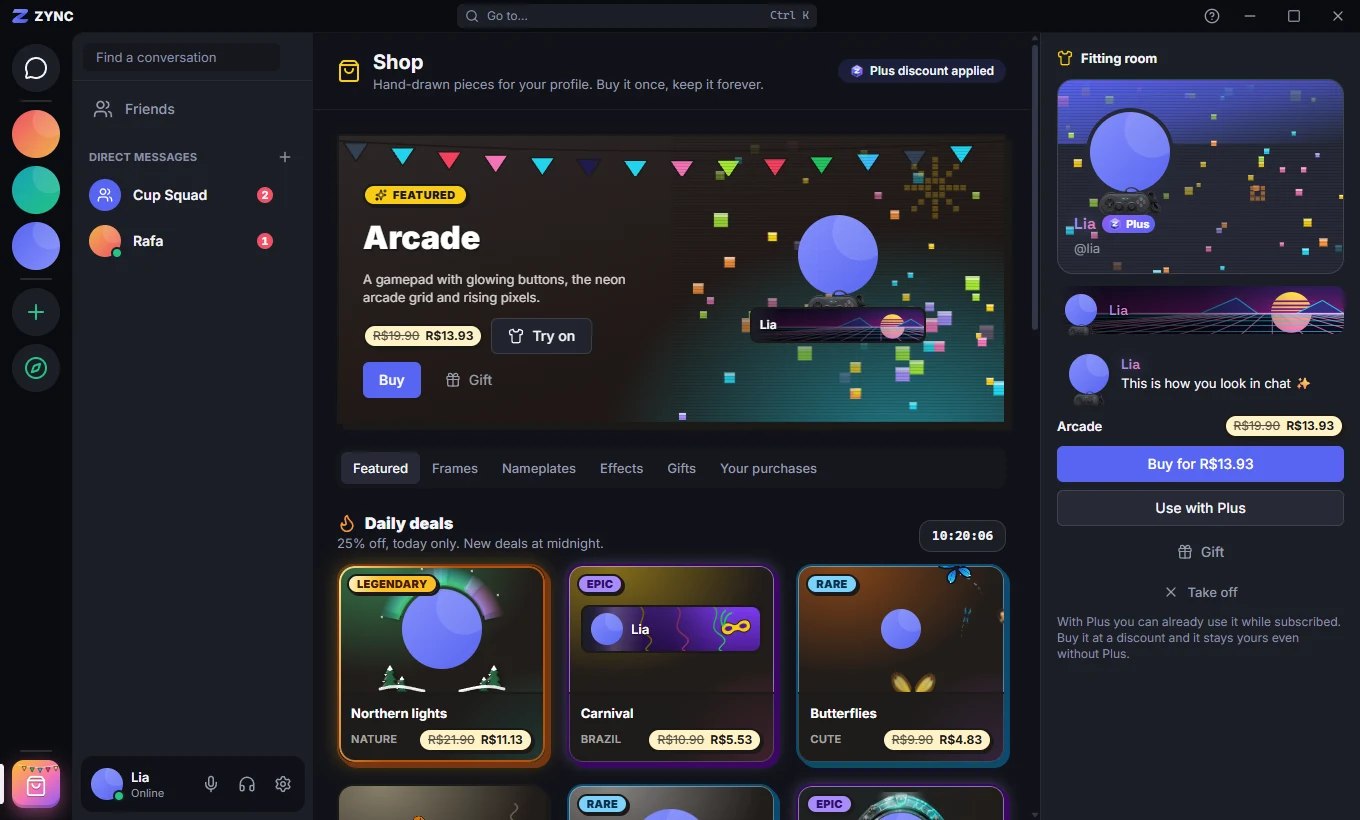
Open the Shop from the button at the bottom of the server bar. It has Collections, Frames, Nameplates and Effects, plus Gifts and Your purchases.
Click an item to try it on in the fitting room: your profile card, your row in the member list and a message show it, with your own banner and photo. Like it? Buy opens the payment page (Pix, card or boleto) and, once the payment is confirmed, the app shows It’s yours! with a Use on profile button.
A purchased item is yours forever and can be used even without Zync Plus. To buy, you must be 18 or older and have a confirmed email.
Finding items
Each item comes in several colors and styles, and each variant has a rarity (common, rare, epic or legendary), shown as a badge on the card, which changes the price. Use search and the rarity and style filters, sort by price or newest, or check Only mine to see what you already own.
Daily deals bring eight items at 25% off. They are the same for everyone and change at midnight, Brasília time.
Gifts
In Gift, pick a friend and write a message. They get the item or the Zync Plus days, with a notice in their inbox. Gifts only go to friends.
Zync Plus
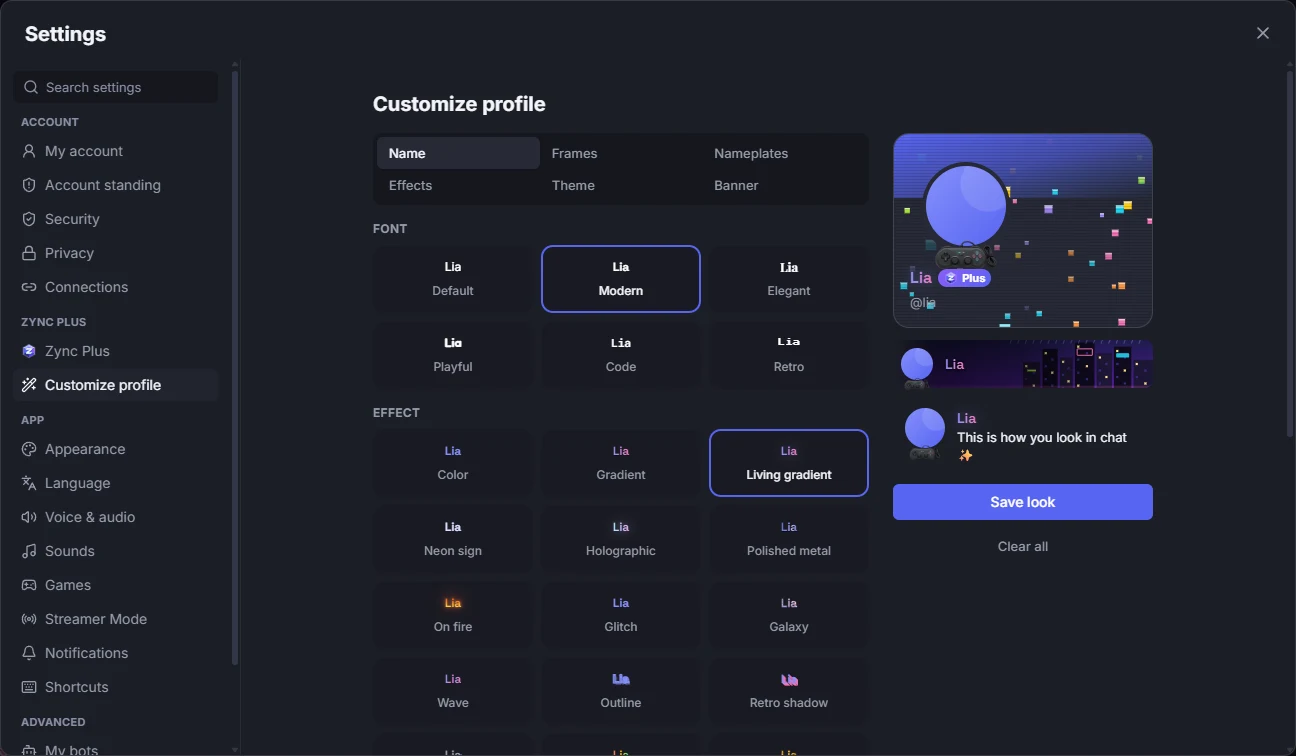
The subscription unlocks full customization: a name with font and effect, frames, nameplates and profile effects, a theme, a banner with an image or GIF, an animated avatar and the Plus badge. It also includes 2 server boosts and 30% off in the Shop and on extra boosts. Customize in Settings → Customize profile, with a live preview.
Boosts and levels
Apply boosts to the server you want to strengthen, from the gem in the server header. With 2, 7 and 14 boosts it reaches levels 1, 2 and 3, and every member gets more member slots, emojis, stream viewers, bigger uploads and better voice audio. Once applied, a boost stays at least 7 days before it can move to another server.
Cancel and request a refund
Cancel Plus or boosts in Settings → Zync Plus: charges stop and perks continue until the end of the paid period. Up to 7 days after paying, Request refund gives you the full amount back — in Settings → Zync Plus → Payments or in Shop → Your purchases.
The full rules are in the Terms of sale, Subscriptions and Refunds.